Streaming
MatchVideo streams via RTMP or RTMPS to any server that accepts them, e.g. YouTube, Twitch, Owncast or your own server.
Destinations
A destination describes where the stream goes. Open Settings → Destinations → Add destination and enter:
- Name – shown in the menu of the video view.
- Protocol – the protocol setup to use (see below).
- URL pattern – the address with placeholders in curly braces, e.g.
rtmp://{host}/live/{streamKey}. - Properties – the values for the placeholders. Values marked Secret, such as the stream key, are kept in the iOS keychain.
The stream key is shown by your streaming platform, usually in its "live" or "stream" settings. Treat it like a password.
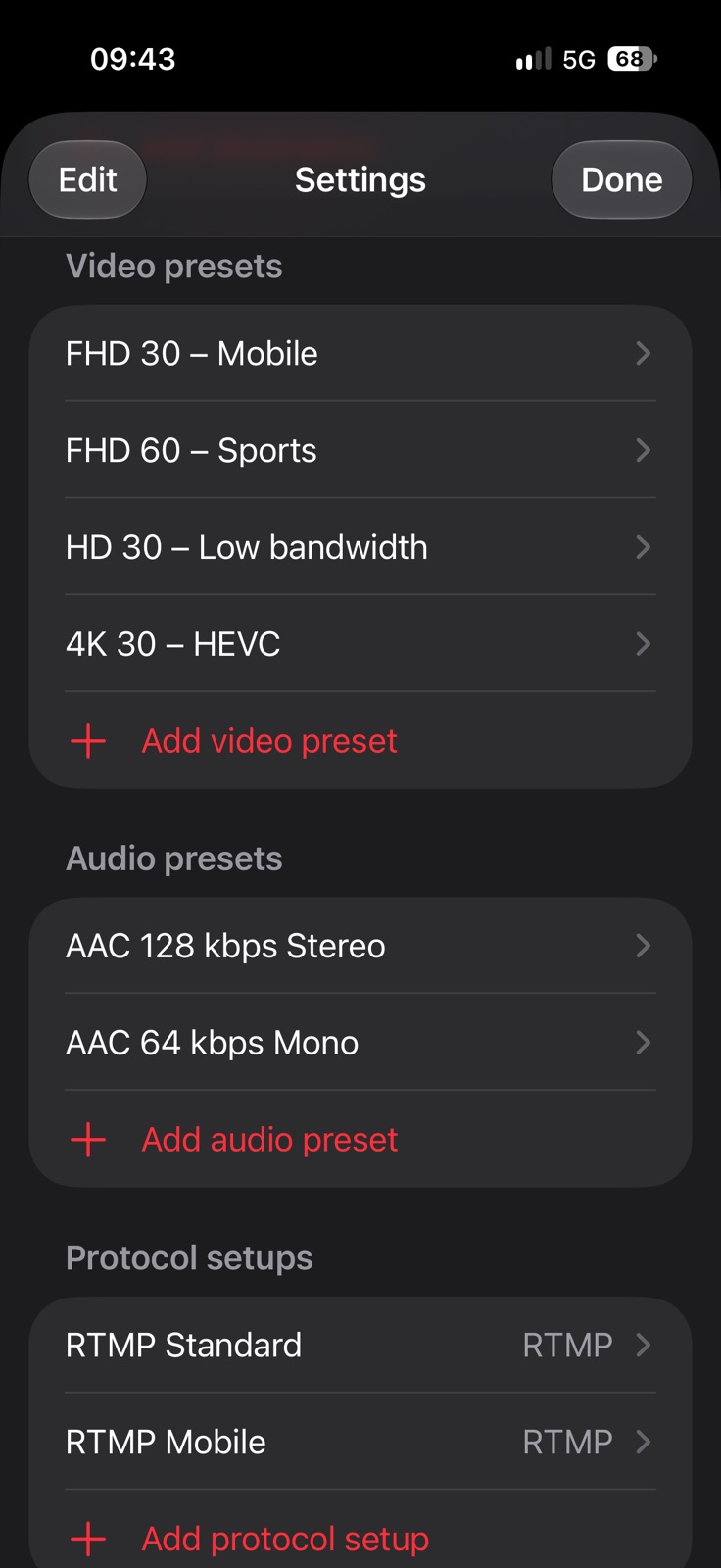
Protocol setups
A protocol setup groups the connection options and can be shared by several destinations:
- Connect retries – how often the first connection attempt is repeated.
- Reconnect when the connection drops – reconnects automatically during the match.
- Max. reconnect delay (s) – the longest wait between two attempts.
The recording keeps running while the stream reconnects. Short failures right after a network change (e.g. from Wi‑Fi to mobile data) are normal while the server still holds the old connection; only if the fourth attempt in a row fails does the status row also show the reason.
Video and audio presets
- Resolution from SD to 4K or the device maximum, Frame rate 24 to 60 fps, Codec H.264 or HEVC.
- Bit rate, optionally Dynamic bit rate: it adapts to the available bandwidth, which is recommended on mobile networks.
- Key frame interval 1 to 10 s; short intervals help viewers to join quickly.
- Audio: AAC with bit rate, sample rate, mono or stereo.
If the server rejects the stream, try H.264: not every server accepts HEVC.