
Overlays
Overlays are embedded in the picture – they appear identically in the stream, the recording and the preview. They are set up in Settings → Overlays.
Types
- Image – e.g. a logo, ideally a PNG with transparency; from Photos, Files or a web address. SVG is not supported.
- Text – with font, size, bold and italic, color, background (dark, light or none) and writing direction.
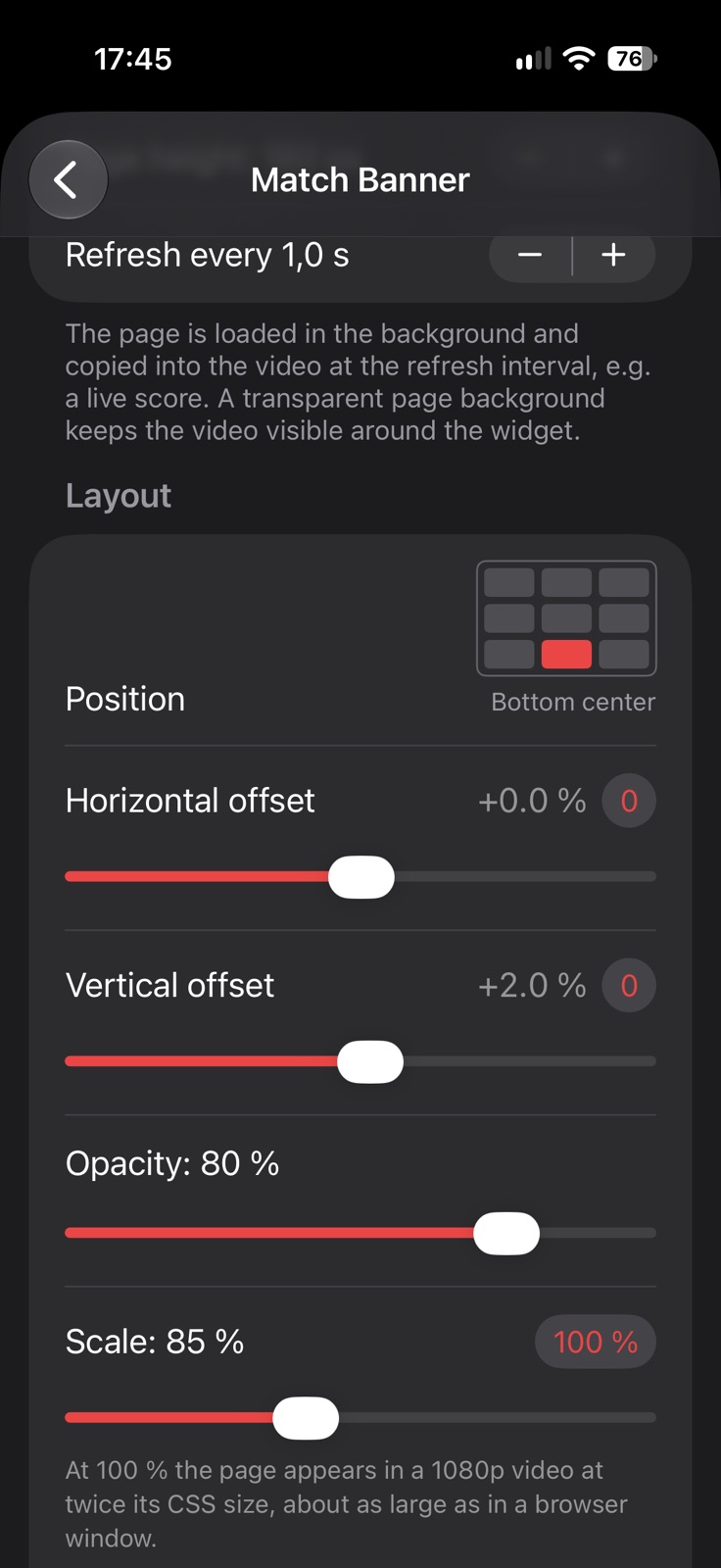
- Web widget – a web page rendered with a transparent background and refreshed regularly, e.g. a live score or a clock. Its address can be typed or scanned from a QR code.
Widgets from MatchGuide
Ready-made web widgets for your matches come from MatchGuide, the scoreboard app for iPhone and iPad: the live score, the timeline, the announcement of the next fixture, the ranking and the fixtures of an event. In MatchGuide, choose Widgets, pick a look and scan its QR code in the settings of a web widget here – the overlay follows the match live, also when the score is kept on another device.
Position and size
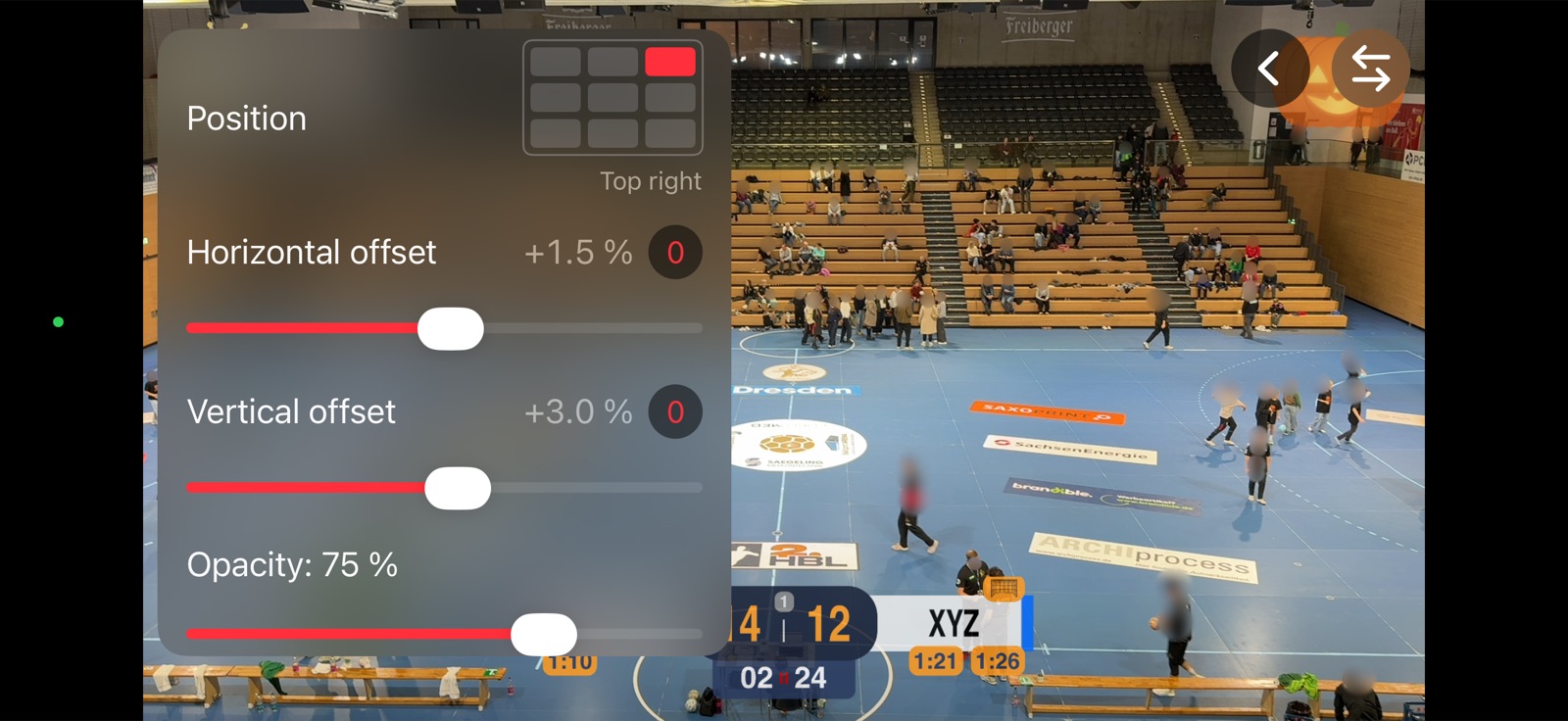
Each overlay has a base position (corners, edges or center), a horizontal and vertical offset towards the center, a width relative to the video and an opacity. Position on Camera shows it on the live picture.
Manual overlays and time limit
Manual overlays are not shown automatically: you switch them on and off in the overlay menu of the video view, also while streaming or recording.
With a time limit (Hide after … s), an overlay is hidden again after that many seconds (5 s to 10 min in steps of 5 s), for example a title at the start of the match. An automatic overlay with a time limit appears when the camera starts; afterwards it is listed in the overlay menu, where you can show it again like a manual one.
Web widgets load the page from the address you enter. Use pages designed for overlays: transparent background, fixed size.